



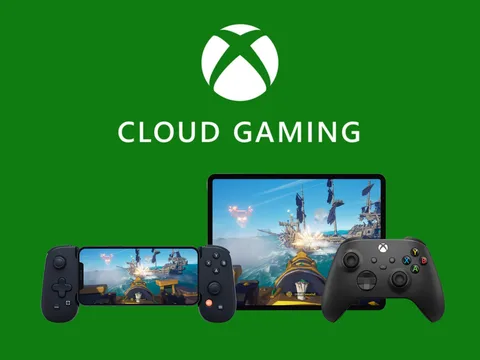

For years, gaming has been connected with computers. Playing the newest blockbuster title required either a strong console or a costly gaming PC. With Xbox Cloud Gaming—a service developed to allow gamers to stream Xbox games immediately over the internet, no console needed—Microsoft is attempting to flip that idea.
Originally known as Project xCloud, Xbox Cloud Gaming is Microsoft's long-term goal for gaming as a service instead of a device-dependent experience. Using Microsoft's worldwide cloud infrastructure, players can get into games on demand across many devices rather than downloading huge game files or replacing hardware every few years.
Xbox Cloud Gaming is emerging as a strong replacement to conventional gaming as internet speeds grow and cloud technology develops. But how it really operates, who it is meant for, and whether it could actually replace consoles are all let us examine.
Xbox Cloud Gaming is?
Subscribers of Xbox Cloud Gaming, Microsoft's cloud-based game streaming service, can play Xbox games sent from distant servers. Microsoft's modified Xbox consoles stored in Azure data centers provide real-time streaming to the player's display. The games on this gadget run here.
Instead of locally processing images and games, your device serves as a display and input terminal. The cloud server gets controller inputs, promptly processes them, and streams the video output to you. Low-powered devices including tablets, antique computers, or phones may then play difficult AAA games.
Rather than being sold as a standalone service, Xbox cloud gaming is included as part of Xbox Game Pass Ultimate
How Xbox Cloud Gaming works
One of the largest cloud computing systems globally, Microsoft Azure drives Xbox Cloud Gaming. Microsoft has positioned custom Xbox Series X-based server blades across data centers in many locations to lower latency and improve performance.
Simplified process decomposition goes as follows:
1. Selecting a game using either the Xbox app or a web browser.
2. On a far-off Xbox server, the game begins.
3. Real-time video and audio streaming is received by your computer.
4. Your controller or touch inputs are back sent to the server.
All of this happens in milliseconds, therefore giving the impression that the game operates natively. Proximity to Microsoft's servers, connection stability, and internet speed determine great experience.
Xbox Cloud Gaming Supported Hardware
With its great device compatibility, Xbox Cloud Gaming's biggest asset is. Microsoft aims to enable players to play games anywhere and, on any display, available.
At present, Xbox Cloud Gaming runs on:
• Windows PCs using the Xbox app or internet browsers
• Through supported browsers, macOS devices
• Android tablets and phones
• iPads and iPhones running Safari or other supported browsers
• Smart televisions from some manufacturers
• Xbox systems enable immediate gaming without downloads.
Starting a game on your television, continuing on your phone, and finally on a laptop without losing progress reflects this flexibility.
Library of The Game
The Xbox Game Pass database feeds material to Xbox Cloud Gaming. From little games to big AAA releases, this covers hundreds of games spanning many genres.
Some prominent Library features are:
• First-party Xbox games first offered
• Well-known firms including Minecraft, Halo, Forza, Gears of War, and others
• Games from third parties changed choice.
• Experimental games and individual games
Strengthening the cloud gaming portfolio mainly depends on Microsoft-owned businesses including Bethesda, Activision Blizzard, and Obsidian. Adding big corporations increases the value of cloud access significantly.
Visual Quality and Performance
For every cloud gaming service, performance is paramount. Although results may vary depending on circumstances, Xbox Cloud Gaming seeks to offer smooth gaming with little input latency.
Players can anticipate under best conditions:
• 1080p resolution streaming
• Frames rates ranging up to 60fps
• Consistent performance across most genres
Fast-paced competitive games like shooters or fighting games might appear less responsive than local hardware, nevertheless. Including better video encoding and server-side optimizations, Microsoft keeps on refining latency reduction methods.
Strong, steady internet is vital. Best experience comes via wired connections or premium Wi-Fi networks.
Options for Input and Controllers
With many input options supported, Xbox Cloud Gaming caters to various player profiles.
Supported alternatives include:
• Controllers for Xbox wireless systems
• On some systems, PlayStation controllers
• Keyboard and mouse for particular games
• Touch controls for smartphones
For mobile gaming especially, touch controls are really crucial. Microsoft has partnered with developers to design unique on-screen control arrangements for some games that make them playable without a physical gamepad.
Xbox Cloud Gaming Benefits
For both serious and casual players, Xbox Cloud Gaming presents several alluring advantages.
No costly equipment
Modern games may be enjoyed without having to purchase a console or update a PC. This significantly lowers the entry hurdle.
Immediate Access
Games start in seconds without upgrades, fixes, or downloads. For players with small storage capacity, this is perfect.
Cross- Platform Continuity
Automatically your saves, achievements, and progress across devices synchronize.
Cost Efficiency
One subscription lets consumers access a vast game collection without paying separately for each one.
Constraints and Problems
Though Xbox Cloud Gaming shows potential, it also has downsides.
Dependency on the internet
Necessary is a quick, reliable internet connection. For some people, data restrictions might also be problematic.
Latency Issues
In competitive games, even little delays can affect the gameplay.
Resolution Limits
At the moment, cloud gaming's visual fidelity lags behind that of premium local equipment.
Regional Accessibility
Based on server infrastructure, performance and accessibility might differ by country.
Xbox Cloud Gaming vs Legacy Consoles
Xbox Cloud Gaming supplements consoles rather than replacing them completely. Consoles continue to deliver top visual quality, best offline gaming, and best performance.
On the other hand, cloud gaming shines in accessibility, flexibility, and simplicity. For many gamers, it is an initial foray into the Xbox environment or a second means of playing on the go.
Microsoft's approach is straightforward: provide gamers several means to access the same games instead of pushing them into one hardware option.
Xbox Cloud Gaming's future
Microsoft keeps pouring significant cash into cloud gaming technology. Future enhancements are expected to comprise:
• Higher frame rates and resolutions
• Better latency minimization methods
• Improved gadget compatibility
• More intimate interaction with handheld gadgets and smart televisions
Cloud gaming will probably go more common as 5G networks grow and internet infrastructure around the world gets better. Microsoft's long-term gaming plan centers on Xbox Cloud Gaming.
Last Words
A big change in how games are delivered and played is Xbox Cloud Gaming. By removing device limitations and enabling fast access over devices, Microsoft is making gaming more inclusive and versatile than before.
Although it could not yet completely supplant conventional consoles for diehard users, Xbox Cloud Gaming is already a potent alternative for millions of players all over. The line between cloud-based and local gaming will continue to blur as technology develops, so bringing us closer to a future when games actually exist in the cloud.



Write your comment